FortiGate Automation QUARANTINE IP From FAZ Log
在 FortiGate 上封鎖或隔離 IPS(入侵防禦系統)事件的來源 IP,
使用 FAZ 連動自動化腳本 (Automation Stitches)自動隔離攻擊的來源IP,另也可以把來源IP加入deny policy的來源IP群組,以下使用ban ip方式。
第一步:在 FortiAnalyzer 建立事件處理程序 (Event Handler),(觸發告警時機)。
進入 FortiSoC > Event Handlers(舊版FOS在Event Handlers)。
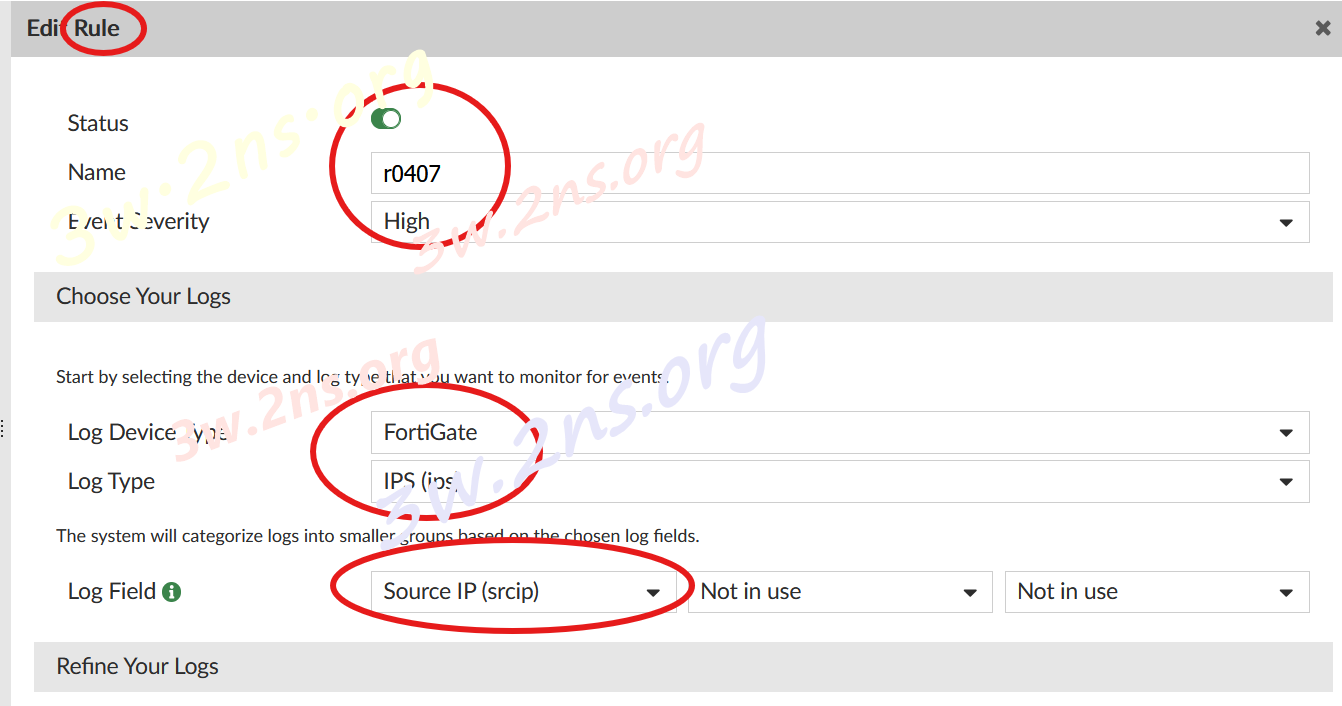
建立新的 Handler,並定義過濾條件(例如:Log Type: IPS, Severity: Critical)。
勾選啟用 FortiGate Automation Stitch。(IPS事件訊息
傳回給連接的 FortiGate。)
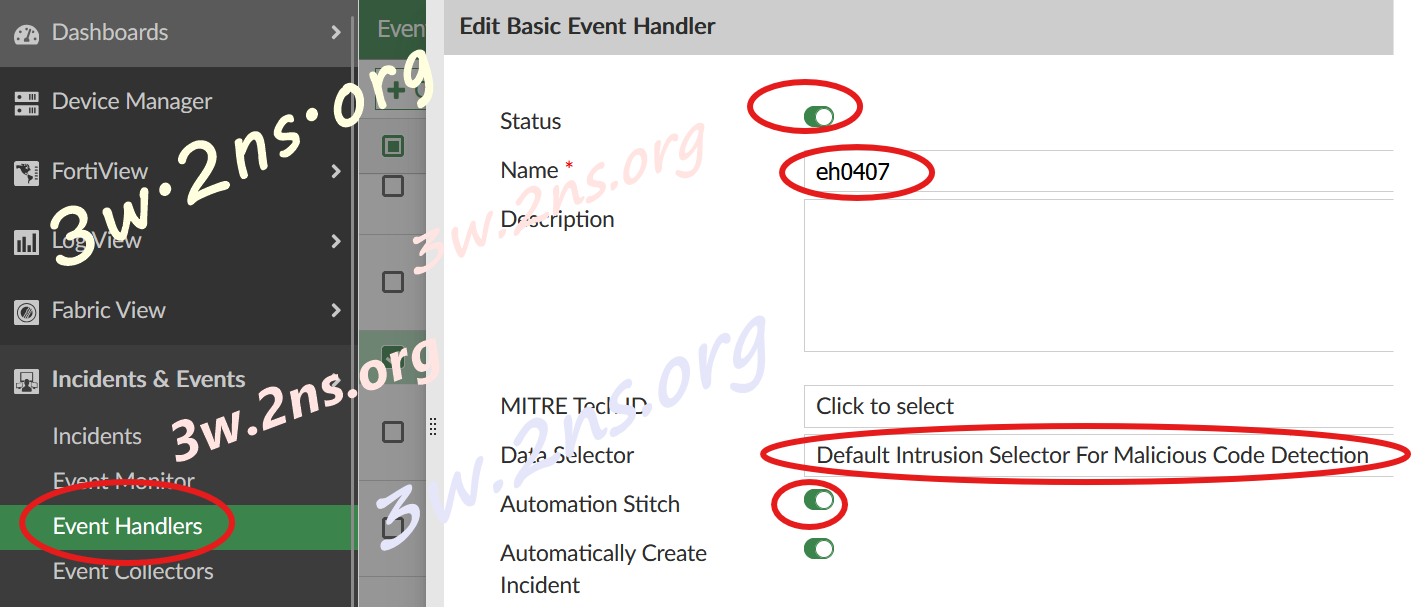
新增rule
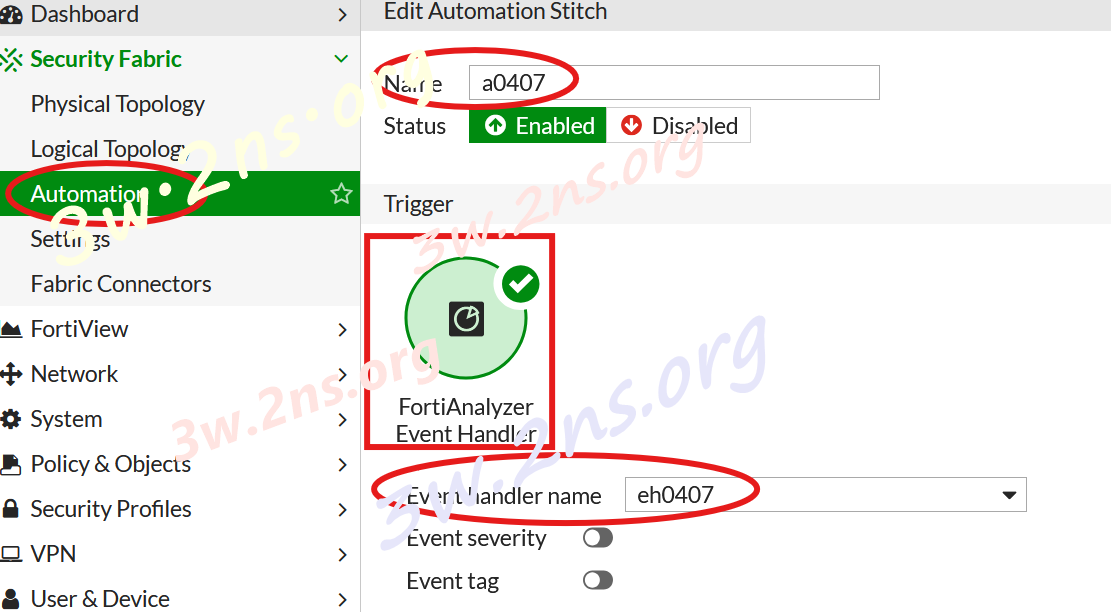
第二步:在 FortiGate 建立觸發條件 (Trigger),FGT接收來自 FAZ 的訊息。
進入 Security Fabric > Automation > Trigger。
建立新的 Trigger,類型選擇 FortiAnalyzer Event Handler。
在選單中選取剛才在 FAZ 建立的 Event Handler名稱。
第三步:在 FortiGate 建立封鎖動作 (Action)
定義接收到訊息後隔離封鎖IP。
使用CLI Script:diagnose user banned-ip add src4 %%log.srcip%% 3600 admin
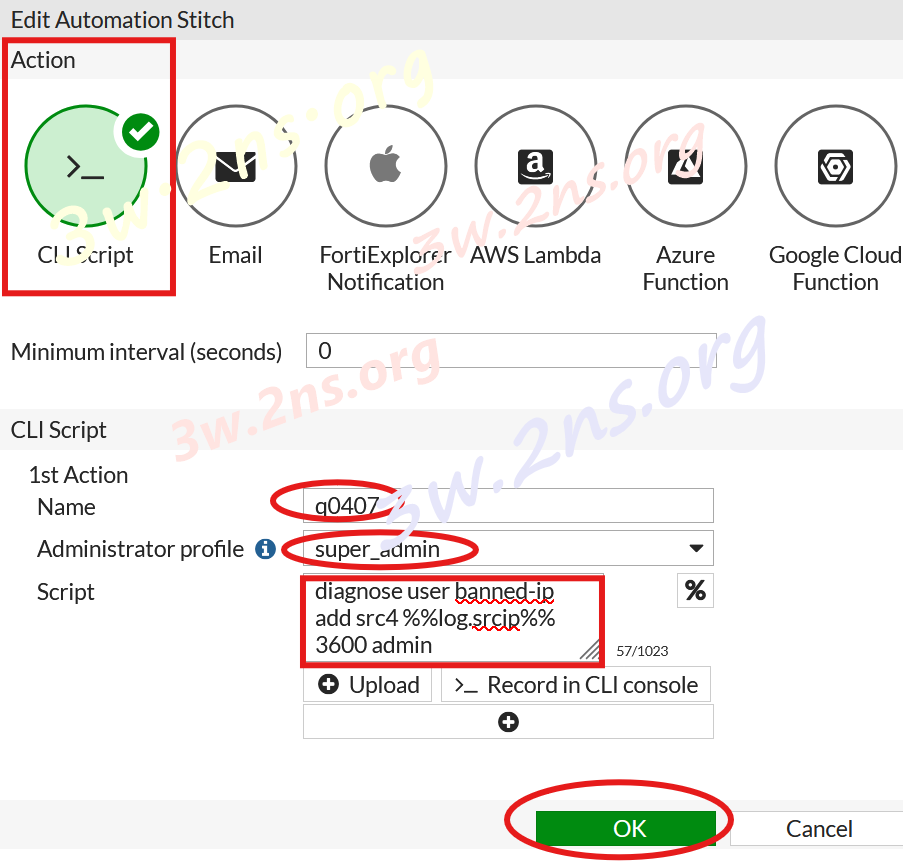
(註:3600 為秒數,%%log.srcip%%為IPS事件的來源IP)
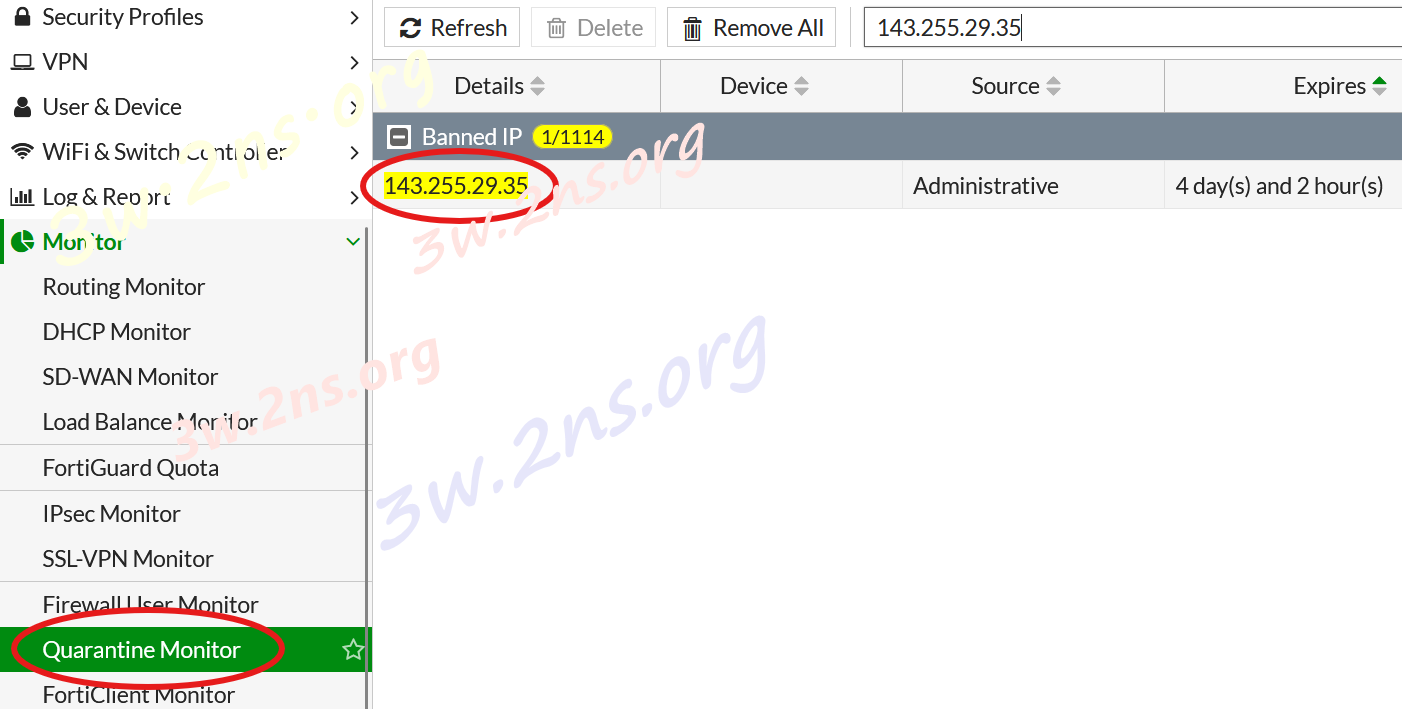
檢視FortiGate隔離清單,已有IPS入侵事件的IP被封鎖。
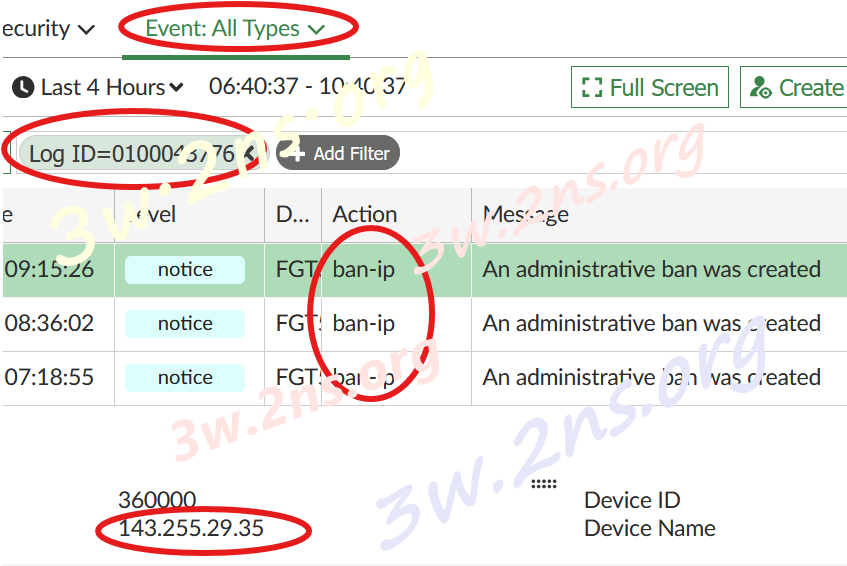
Event log查找Log ID 43776,可以在 Log中看到被封鎖 IP 的日誌:
Download
自動新增位址物件加入位址群組"CLI指令"
config firewall address
edit "ips_%%log.sourceip%%"
set subnet %%log.sourceip%% 255.255.255.255
next
end
config firewall addrgrp
edit "ipsGroup"
append member "ips_%%log.sourceip%%"
next
end
需有一條阻擋來源IP為ipsGroup的deny policy
[ add comment ] | permalink | print article | related link |

 ( 3.1 / 31 )